Parks & Rec
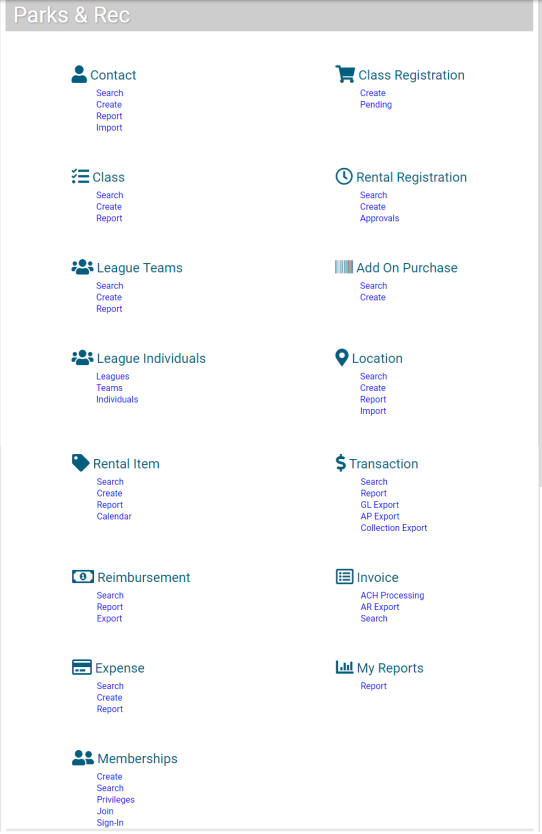
The  Parks & Rec tab provides options for managing your community’s activities, including creating class records, maintaining contact lists, managing rentals, and so on. The available options depend on the settings defined on the Administration tab.
Note: Use the setup programs included on the Administration tab to create records required for Parks & Rec processing.
The following table provides brief descriptions of the categories defined and maintained on the Parks & Rec tab. The available options depend on the settings defined on the Administration tab. To learn more about a Parks & Rec option, click the corresponding link below or under the Parks & Rec heading on the menu to the left.
|
Category |
Description |
|---|---|
|
Contacts associated with the Parks & Rec programs. Contacts may be participants, instructors, or staff. |
|
|
Registration of participants for available activities. This option provides all the registration steps in order of completion. |
|
|
Details for class offerings, including type, status, registration details, fees, available times, and so on. |
|
|
Registration of rental transactions. This category provides all the registration steps in order of completion. |
|
|
Teams of individuals who are related to an activity. This category is for registering teams rather than individuals; for example, someone may register a team for an adult softball league. |
|
|
Purchase process for add-on items outside the class or rental process. |
|
|
Options for viewing overview pages of leagues, teams and individuals. |
|
|
Records for rental items, such as facilities or specialized activity items. |
|
|
Location records by type and status. This category includes an option for importing location details using a .csv file. |
|
|
Export files of fees or other charges that have been reimbursed. |
|
|
Payment and refund records for transactions. |
|
|
Expense records for activities. |
|
|
Invoices and export files. |
|
|
Membership structure for activities, letting you provide services to contacts for set fees within selected time periods--for example, fitness program memberships offered for an annual fee. |
|
|
Reports of system activity. For a report to be available, you must complete the report setup on the Administration tab, and the report must be created in Microsoft SQL Reporting Services. |
|
|
Manages membership and non-membership location sign-ins and tracks sign-in history. |
|
|
Build and manage teams from one location. |